IT201Project3
Feature 1: Mouse Stacking of Tower Sections
Input: Left mouse button click on the ground plane.
Process: Raycast from camera to mouse position to detect hit on plane; if hit, calculate stack position based on current stack count; instantiate TowerSection prefab at position; parent to TowerBase; loop through prefab's children (Base and Top) to start default animation state.
Output: New colored animated tower section appears stacked on top, with Idle animation playing.
Feature 2: Keyboard Animation State Change
Input: Keyboard keys Alpha0-3 pressed (0 for Idle, 1 for Spin, 2 for Bounce, 3 for Wobble).
Process: Detect key down; call ChangeTowerState with newState; loop through all sections in TowerBase; for each section, loop through children (Base and Top); if Animator found, set integer "state" to newState.
Output: All tower sections switch to the new animation clip/state immediately.
Feature 3: UI Slider for Animation Speed Change
Input: Drag SpeedSlider UI (range -2 to 2).
Process: On Value Changed event calls ChangeSpeed with float speed; loop through all sections in TowerBase; for each section, loop through children (Base and Top); if Animator found, set .speed to speed (negative triggers reverse clip if set).
Output: All tower animations change type (faster/slower/stop/reverse).
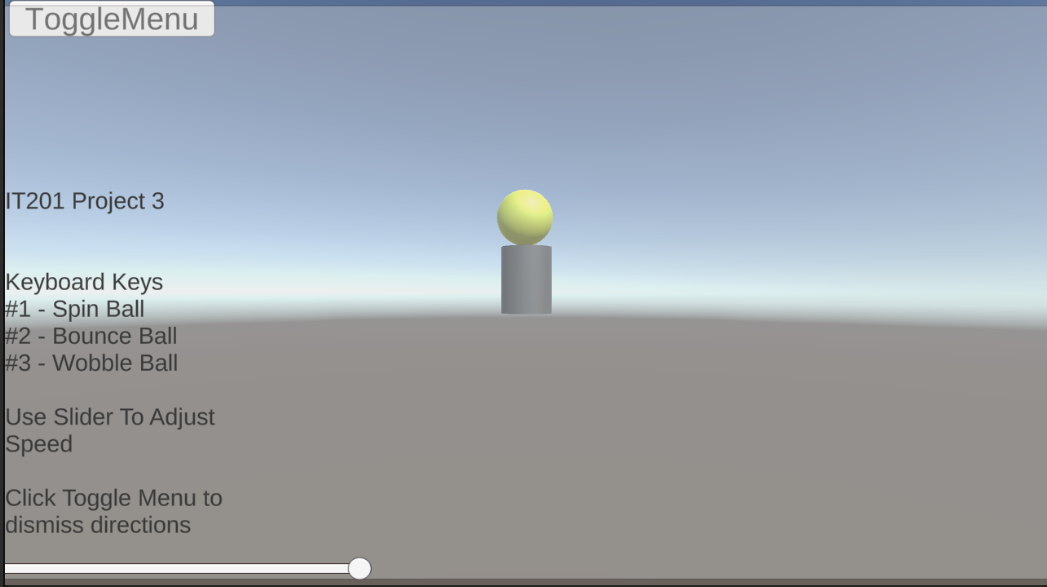
Feature 4: UI Button to Toggle Control Menu
Input: Mouse click on ToggleMenu button.
Process: Call ToggleMenu; get bool "Hide" from menuAnimator; set "Hide" to !current; animator transitions between Show/Hide states based on bool.
Output: Menu panel with slider animates show (scale from 0 to 1) or hide (1 to 0), revealing/hiding controls.
Leave a comment
Log in with itch.io to leave a comment.